QUICK START
Electric Baby Grand Studios
You can be recording in about a minute. Here's everything you need for your first take.
Recording your first track
Open your track controls
Tap the hamburger button at the top left of a track. That opens the full set of controls — rewind, play, record, stop and FX.

Arm the track
Tap the track container. It glows yellow when it's armed and ready to record.

Nothing records until a track is armed. If you hit record and nothing happens, this is usually why.
Hit record
Tap the red circle 🔴 to start. Tap the square ⬛ to stop.
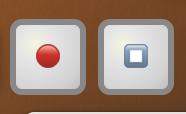
Want a count-in first? Tap the little bell 🔔 before you record.
Hearing it back
Play it
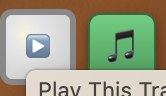
Green 🎵 button — plays all your tracks together.
Grey ▶️ triangle — plays just that one track on its own.
Keeping your work
Save it
Tap the gold floppy disk 💾 at the bottom right. The Save Wizard gives you two options:
Save as New Project — keeps it in your dashboard, ready to open again on any device.
Export as WAV — downloads the finished mix as an audio file.
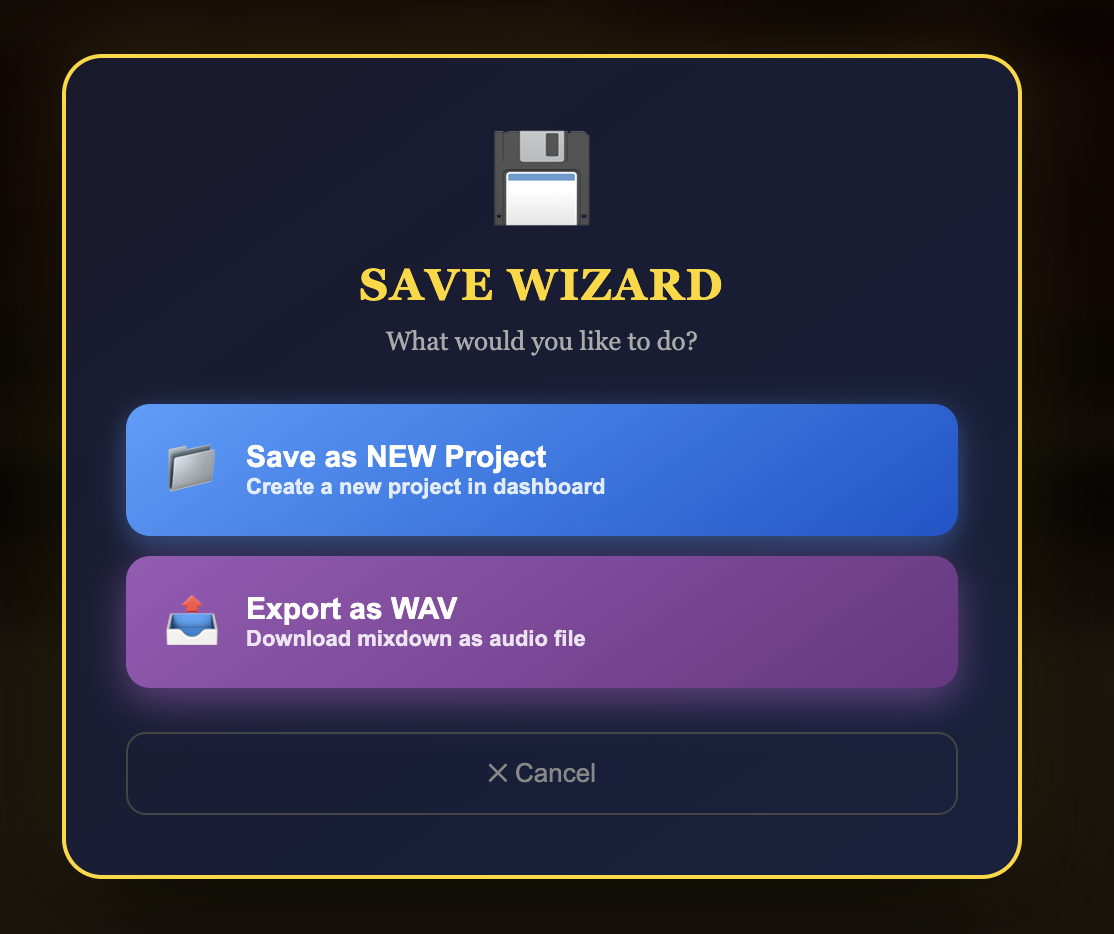
Saving needs a free account. You can play everything without one — you just can't keep it.
Stuck?
Email [email protected] and tell us what happened. Real replies from a real person.